Beyond Closed Captions: Designing Spatial Subtitles for Immersive Media
The Breakdown of Fixed Text in Three-Dimensional Reality
Traditional subtitles were designed for a stable rectangle. The viewer sits in front of a screen, the image remains within a predictable frame, and a caption strip can occupy the lower margin without competing with the story. In 360-degree video, virtual reality, and augmented reality, that assumption collapses. The viewer can turn away from the speaker, look above the action, or shift attention toward a nearby object while the audio continues from somewhere else in the environment. A static bottom-aligned caption may remain technically visible, yet still fail to explain where a voice originates or what sound deserves attention.
This mismatch creates more than a visual inconvenience. A fixed caption panel can pull the eyes away from the relevant speaker, contradict the spatial logic of the scene, and force repeated head movements between the text and the action. In an immersive experience, the interface becomes part of the environment whether the designer intends it or not. If the caption behaves like a broadcast overlay while the rest of the experience behaves like a navigable world, users experience cognitive dissonance. They must interpret two competing systems at once: the spatial world and the flat information layer.
Spatial subtitles treat language as an environmental entity rather than passive text painted over a viewport. They may sit near a speaking avatar, remain available within the field of view, or transform into a directional cue when the source is outside the current frustum. The objective is not novelty. It is immediate comprehension, reliable speaker attribution, and full access to dialogue, ambience, music, and meaningful non-speech sounds. The design imperative is simple but demanding: preserve immersion without making accessibility dependent on finding the right angle.
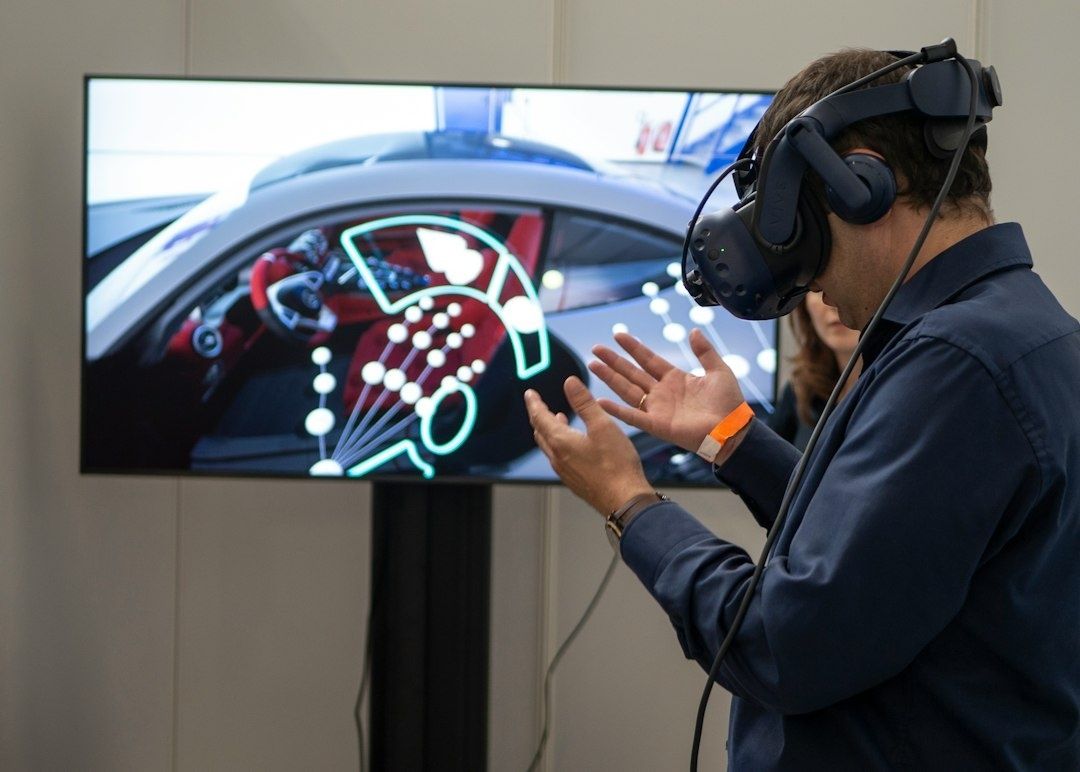
Speaker Localization through World-Locked Bubbles and Directional Radars
Three placement models provide a useful starting point. Head-locked captions remain attached to the viewer”s display and are always available, much like conventional subtitles. Body-locked captions follow the user”s torso or seated orientation, offering more stability than a head-locked HUD while allowing the head to move naturally. World-locked captions occupy a position in the scene, often near the speaker or the object producing the sound. Each model solves a different problem, and a robust system should allow users to choose rather than assuming that one mode suits every viewer.
A world-locked speech bubble can provide powerful context when it is anchored near a visible speaker. The bubble should sit close enough to establish attribution, but not so close that it obscures facial expression, gestures, or important objects. Its offset should account for camera perspective, speaker movement, and the user”s likely reading angle. When a speaker moves behind the viewer or outside the field of view, the bubble should not simply disappear. A compact arrow, name label, or curved directional marker can point toward the source while the readable caption remains within a comfortable viewing region.
Research on immersive captioning emphasizes that users need clear visual vectors when a speaker is off-screen, not merely a familiar strip at the bottom of the view. The user-centered findings in Universal access: user needs for immersive captioning also support rapid prototyping of alternative caption modes, because preferences differ across users and contexts. Directional radars can be useful for complex scenes, especially when several sound sources compete, but they should communicate relevance rather than reproduce a map of every audio event. A fixed HUD arrow has low positional ambiguity but can feel detached from the world. A spatial beacon feels more natural, yet may require additional head movement. The strongest architecture combines both: contextual world anchoring when the source is visible, plus a restrained field-of-view indicator when it is not.
| Placement model | Primary benefit | Typical risk | Best use |
|---|---|---|---|
| Head-locked | Persistent readability | Weak spatial attribution | Dialogue that must never leave the field of view |
| Body-locked | Stable reading zone during head movement | Can drift from the user”s actual gaze | Seated experiences and long-form viewing |
| World-locked | Strong connection between text and source | Occlusion or loss outside the field of view | Visible speakers, objects, and environmental sounds |
| Directional radar | Fast discovery of off-screen audio | Visual clutter if every sound is represented | Important voices, alerts, and narrative events |
Gaze Dynamics and Eliminating Visual Fatigue in Extended Sessions
Depth is not decoration. It directly affects reading comfort. In stereoscopic displays, the eyes converge on a virtual depth while accommodation remains tied to the display optics. Large or rapidly shifting differences between those cues contribute to discomfort, especially during extended sessions. Text that is technically sharp can still be fatiguing if it repeatedly appears too close, too far, or at an unstable depth relative to the primary action.
A practical system should place most dialogue within a comfortable stereo zone, with a working depth around 1.5 to 2.5 metres where the device and experience permit it. This range is not a universal prescription for every headset, optical system, or user, so testing remains essential. Typography should maintain a stable apparent size as the viewer turns, and text should avoid aggressive perspective distortion. When a caption follows the user”s gaze, use a subtle lerp, or linear interpolation, rather than snapping the panel instantly to the new orientation. The transition should feel like a calm correction, not a camera movement imposed on the user.
Spatial typography also introduces a more demanding relationship between language and geometry. A caption plane may intersect a wall, pass behind a virtual character, or vanish against a bright sky. Occlusion rules should be deliberate. A speaker label can remain world-locked while the full caption moves to a readable fallback position, or the text can receive a controlled outline and translucent scrim when partial obstruction is meaningful. Avoid making users solve a depth puzzle just to read a sentence. Accessibility settings should also allow users to reduce motion, disable pan-and-scan behavior, increase text size, and select a more stable caption mode.
- Keep the reading plane stable during ordinary head motion.
- Use gradual interpolation for gaze-following elements and avoid sudden angular jumps.
- Test text at different interpupillary distances, seated positions, and visual acuity levels.
- Provide a fallback when geometry, lighting, or camera motion compromises legibility.
- Validate multilingual layouts because glyph complexity and word shape affect recognition in VR.
A Systematic Framework for Off-Screen Audio and Non-Speech Cues
Accessible subtitles must represent more than spoken words. A door closing behind the viewer, an approaching vehicle, a musical transition, or a distant alarm may carry narrative meaning even when no character speaks. The challenge is selective translation. Showing every sound as a label creates a noisy dashboard, while omitting spatial audio information leaves deaf and hard-of-hearing users without the scene”s structure. The BBC R&D White Paper 330 documents trials showing how multimodal cues can improve comprehension of off-screen sound while protecting immersion.
A useful implementation separates event importance from event loudness. A quiet but narratively essential whisper may deserve a caption, while persistent background machinery may need only an initial environmental description. Musical atmosphere can be described through concise labels such as “low, tense strings,” provided the wording supports the story rather than interpreting it excessively. Directional information should be expressed consistently, using terms, icons, arrows, or combinations that do not depend on color alone. The Immersive Captions Community Group”s work similarly stresses user control over timing, line count, appearance, positioning, playback speed, and speaker identification.
- Classify the sound. Identify dialogue, speaker identity, environmental effects, music, ambience, and narrative alerts before designing the visual treatment.
- Assign spatial importance. Decide whether the event requires a source label, an off-screen vector, a peripheral beacon, or a persistent caption in the reading zone.
- Define visual priority. Use hierarchy, timing, contrast, and limited motion so urgent events can be distinguished from atmosphere without overwhelming the primary scene.
- Test comprehension in motion. Measure whether users can identify what happened, where it came from, and whether it matters while turning, walking, or interacting.
Contrast must survive the environment rather than the design mock-up. A translucent scrim, controlled shadow, or edge treatment can protect text against high-luminance virtual backgrounds, but decorative transparency should never reduce readability. Set a clear minimum contrast target in the accessibility specification and test it against snow, fire, daylight, reflective surfaces, and rapidly changing imagery. Typography should favor generous line spacing, short line lengths, and a scale that supports rapid saccadic reading without forcing the user to scan across the entire field of view.
Evaluating Spatial Subtitle Architectures Across Real-World Engines
Engine choice changes the implementation details, but not the design responsibility. In Unity, world-space canvases offer familiar control over anchors, render modes, and interaction, while TextMeshPro supports high-quality distance-field rendering and dynamic text. Unreal Engine provides widget components, UMG layouts, and material-driven control that can integrate captions with the scene, although teams must carefully manage stereo rendering, visibility, and draw-call behavior. WebXR can combine HTML-based interfaces with WebGL or WebGPU scene content, but browser differences, device capabilities, and input models make progressive enhancement especially important.
Dynamic font atlases are flexible for multilingual dialogue, user-selected typefaces, and late-arriving content, but they may introduce memory pressure, atlas rebuilds, or glyph-population delays. Baked SDF text is efficient and visually stable when the language set, font, and size range are known in advance. It becomes less convenient when captions must support many scripts, user scaling, right-to-left languages, or personalized typography. A production architecture should therefore define a font fallback strategy, prewarm common glyphs, reserve capacity for accessibility settings, and profile worst-case scenes rather than average dialogue.
Compliance is broader than putting an SRT or VTT file into a player. The W3C Immersive Captions Community Group is developing guidance for caption access, activation, and display across VR, AR, games, and different device surfaces, but its community reports are guidance rather than a formal standards-track specification. Teams should audit synchronization, attribution, contrast, scaling, keyboard and controller access, seated operation, screen-reader exposure where applicable, and motion reduction. The practical benchmark is whether users can activate captions, customize them, follow the narrative, and recover from a missed line without abandoning the experience.
- Unity: Favor modular caption prefabs with separate world-locked, body-locked, and head-locked modes, then profile canvas rebuilds and stereo readability.
- Unreal Engine: Treat widget placement, material contrast, visibility channels, and motion behavior as one system rather than isolated UI settings.
- WebXR: Provide accessible controls outside the immersive session as well as inside it, and test browser, headset, controller, and keyboard combinations.
- All engines: Keep caption content independent from visual presentation so users can change size, position, timing, contrast, and motion without rewriting the narrative layer.
Build Accessible Realities That Keep Every Narrative in Sight
Spatial subtitles succeed when every visual decision has a clear job. Use world-locked placement to establish source and context, head- or body-locked fallbacks to protect availability, and directional cues to connect users with audio outside the field of view. Keep depth stable, motion restrained, contrast reliable, and typography readable before adding expressive treatments. The strongest design is not the one that makes captions look most futuristic. It is the one that lets users understand the story without thinking about the caption system at all.
That standard makes spatial typography an essential baseline of XR interaction, not an optional layer reserved for premium productions. Product teams should prototype competing architectures early, test with deaf and hard-of-hearing users as well as users with motion sensitivity and visual fatigue, and evaluate comprehension in authentic movement conditions. Iterative accessibility testing will reveal where a beautiful spatial treatment becomes a barrier. Clarity before decoration, context-driven placement, and user control provide a durable foundation for immersive narratives that keep every audience member oriented, informed, and included.